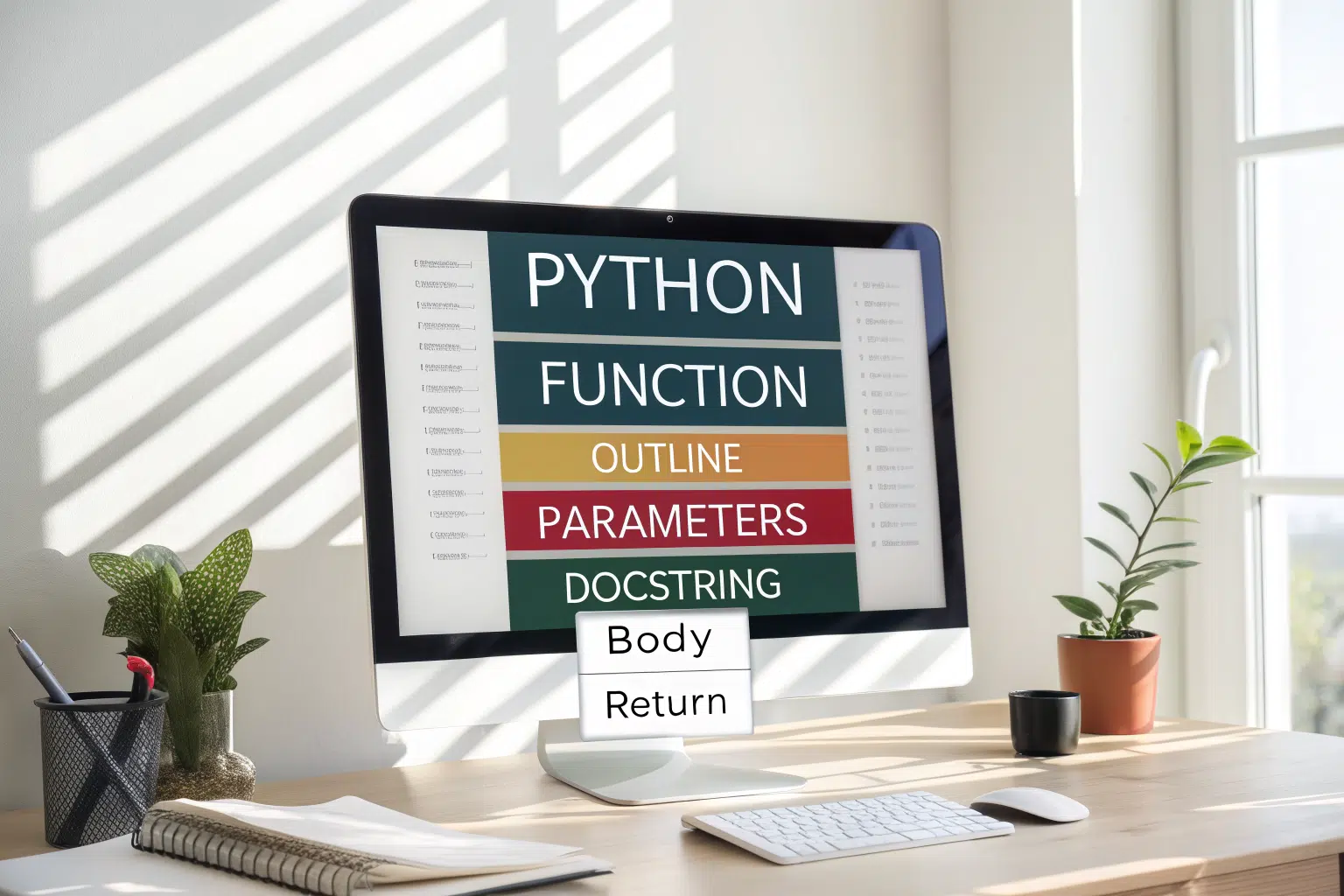
A python functions tutorial teaches you to create reusable blocks of code that perform a specific task when called. By defining a function with the `def` keyword, you can execute complex logic multiple times without rewriting it. This fundamental concept helps organize your programs, making them more readable, efficient, and easier to debug, which is a common challenge for new programmers learning to manage larger scripts.
Key Benefits at a Glance
- Code Reusability: Write a block of code once and call it anywhere in your program, saving significant time and reducing redundant lines.
- Easier Debugging: Isolate programming errors faster by testing small, self-contained functions instead of searching through an entire script.
- Improved Readability: Break complex programs into logical, named chunks that clearly describe their purpose, making your code easier for others to follow.
- Better Organization: Structure large applications into modular components, simplifying project management and allowing teams to work on different parts simultaneously.
- Simplified Logic: Abstract away complex operations behind a simple function name, making your main script cleaner and focused on the high-level workflow.
Purpose of this guide
This guide is designed for beginners and developers seeking to master the fundamentals of Python functions. It solves the common challenge of writing disorganized, repetitive, and hard-to-maintain scripts by providing clear, actionable steps. You will learn the complete workflow: how to define a function using `def`, how to call it, how to pass information using arguments and parameters, and how to get results back with `return` statements. We also cover practical examples and highlight common mistakes to avoid, ensuring you can confidently build modular and scalable applications.
Understanding Python Functions: The Basics
When I first started programming in Python, I thought functions were just another syntax rule to memorize. But after years of development, I've realized that mastering Python functions fundamentally transformed how I approach coding problems. Functions aren't just blocks of code—they're the building blocks that make Python programming elegant, maintainable, and powerful.
A Python function is a reusable block of code that performs a specific task. Think of it as a mini-program within your program that you can call whenever needed. Functions embody three core programming principles that have revolutionized my coding style: code reusability (write once, use everywhere), modularity (break complex problems into manageable pieces), and abstraction (focus on what the function does, not how it does it).
The beauty of Python functions lies in their simplicity and power. Every function I write follows the same basic anatomy: it's defined with the def keyword, can accept parameters as input, executes a block of indented code, and optionally returns a value. This consistent structure makes Python functions incredibly predictable and easy to work with.
| Component | Purpose | Example |
|---|---|---|
| def keyword | Declares function definition | def my_function(): |
| Function name | Identifies the function | calculate_total |
| Parameters | Accept input values | (price, tax_rate) |
| Docstring | Documents function purpose | “””Calculate total with tax””” |
| Function body | Contains executable code | return price * (1 + tax_rate) |
| Return statement | Sends value back to caller | return result |
What makes Python functions particularly special is their relationship to the broader concept of functions in computer programming. While the fundamental principles of code reusability and modularity apply across all programming languages, Python's implementation makes these concepts more accessible and intuitive than many other languages.
Types of Python Functions
In my daily Python programming, I work with three distinct types of functions, each serving different purposes and offering unique advantages. Understanding these types has been crucial for choosing the right tool for each coding situation.
“There are three types of functions in Python: Built-in functions, such as help() to ask for help, min() to get the minimum value, print() to print an object to the terminal,… User-Defined Functions (UDFs), which are functions that users create to help them out; And Anonymous functions, which are also called lambda functions.”
— DataCamp, 2024
Source link
Built-in functions are Python's gift to developers—pre-written, optimized functions that handle common tasks. Functions like len(), print(), max(), and sorted() are always available and form the foundation of most Python programs. I use these daily because they're tested, efficient, and solve recurring problems.
User-defined functions are where the real magic happens. These are the custom functions I create to solve specific problems in my projects. Whether it's processing data, validating input, or implementing business logic, user-defined functions let me encapsulate complex operations into simple, reusable components.
Lambda functions represent Python's approach to anonymous functions—small, single-expression functions that I can define inline. While they're limited to single expressions, they're incredibly useful for short operations, especially when working with functions like map(), filter(), or sorted().
| Function Type | Definition | Characteristics | Use Case |
|---|---|---|---|
| Built-in | Pre-defined by Python | Ready to use, optimized | len(), print(), max() |
| User-defined | Created by programmer | Custom logic, reusable | Business logic, utilities |
| Lambda | Anonymous single expression | Inline, implicit return | Short callbacks, sorting |
Why I Use Functions in My Python Programming
The transformation in my coding approach became clear during a recent refactoring project. What started as a 1,200-line script filled with repetitive code blocks became a clean, 840-line program organized around well-designed functions. That 30% reduction wasn't just about fewer lines—it was about creating code that was easier to understand, test, and maintain.
“A function is a block of code which only runs when it is called. A function can return data as a result. A function helps avoiding code repetition.”
— W3Schools, 2024
Source link
The DRY principle (Don't Repeat Yourself) became real for me through functions. Instead of copying and pasting similar code blocks throughout my programs, I now identify common patterns and extract them into reusable functions. This approach has eliminated countless bugs that used to occur when I'd fix an issue in one place but forget to update it elsewhere.
Functions provide modularity that makes complex problems manageable. When I'm building a data processing pipeline, I don't think about the entire system at once. Instead, I break it down into discrete functions: one for reading data, another for cleaning it, one more for transformation, and a final function for output. Each function has a clear responsibility and can be developed and tested independently.
- Code Reusability: Write once, use everywhere – reduced my codebase by 30%
- Modularity: Break complex problems into manageable pieces
- Abstraction: Hide implementation details, focus on what not how
- Maintainability: Fix bugs in one place, benefit everywhere
- Testability: Isolated units are easier to test and debug
Abstraction is perhaps the most powerful benefit I've discovered. When I use a function like calculate_tax(price, rate), I don't need to remember the specific formula or edge cases—I just need to know what inputs it expects and what output it provides. This mental simplification allows me to focus on higher-level problem solving rather than implementation details.
How I Define Python Functions in My Projects
Creating functions in Python follows a consistent pattern that I've refined through years of practice. The process begins with the def keyword, which tells Python that I'm about to define a reusable block of code. This keyword is followed by the function name, parentheses for parameters, and a colon to begin the function body.
Python functions are defined using the def keyword followed by the function name and parentheses. For example, def greet(name): print(f"Hello, {name}!") creates a reusable block. To call it, use greet("User"), which executes the indented code.
My approach to function definition has evolved to prioritize clarity and maintainability. I always start with a descriptive name that clearly indicates what the function does. Rather than generic names like process_data(), I prefer specific names like clean_email_addresses() or calculate_monthly_revenue(). This naming convention makes my code self-documenting and reduces the cognitive load when I return to it months later.
The structure of every function I write follows Python's indentation-based syntax. After the function definition line, all code belonging to the function must be indented consistently. I use four spaces for indentation, following PEP 8 guidelines, which ensures my code is compatible with Python community standards.
One practice I've adopted is including docstrings in all my functions. These documentation strings, enclosed in triple quotes, serve as inline documentation that explains what the function does, what parameters it expects, and what it returns. This habit has saved me countless hours when revisiting old code or collaborating with other developers.
Function definitions establish reusable code blocks with clear interfaces. Proper syntax prevents common errors that break function execution. When you encounter unexpected EOF while parsing errors, check your function definition syntax first.
My Approach to Function Syntax and Structure
The syntax of Python functions is remarkably consistent, but mastering the nuances has improved my code quality significantly. Every function definition follows the same pattern, but the way I structure the components within that pattern makes the difference between good and great code.
I've developed a systematic approach to function structure that ensures consistency across all my projects. The function definition line always includes the def keyword, a meaningful function name, and parentheses containing any parameters. The colon at the end of this line is crucial—it signals to Python that the indented block that follows contains the function's code.
- Start with ‘def’ keyword followed by function name
- Add parentheses with parameters (if any)
- End the definition line with a colon (:)
- Write docstring on first line inside function (recommended)
- Indent all function body code consistently
- Include return statement if function should output a value
The docstring immediately follows the function definition and provides essential documentation. I write docstrings for every function that will be used by others (including my future self). These strings are accessible at runtime through the function's __doc__ attribute, making them valuable for interactive development and automated documentation generation.
Indentation in Python isn't just about style—it's part of the language syntax. All code within the function body must be indented at the same level, typically four spaces. This indentation-based structure makes Python functions visually clear and eliminates the ambiguity that can arise with bracket-based languages.
The return statement, while optional, is often crucial for function utility. If I don't include an explicit return statement, Python automatically returns None. For functions that perform calculations or data processing, I always include explicit return statements to make the function's output clear and predictable.
Function Arguments in Python: My Complete Guide
Understanding how Python handles function arguments was a game-changer in my programming journey. Early in my Python learning, I confused parameters (the placeholders in function definitions) with arguments (the actual values passed when calling functions). This distinction might seem minor, but it's fundamental to understanding how functions work.
Arguments are the mechanism through which functions receive input data. Python's flexibility in handling arguments is one of its greatest strengths, allowing for incredibly versatile function designs. I can create functions that accept a fixed number of inputs, optional parameters with default values, or even variable numbers of arguments.
The evolution of my understanding of arguments came through debugging sessions where functions didn't behave as expected. I learned that Python uses "pass-by-object-reference," which means the behavior depends on whether the object being passed is mutable or immutable. This understanding has shaped how I design function interfaces and handle data within functions.
| Term | Definition | Location | Example |
|---|---|---|---|
| Parameter | Placeholder in function definition | Function definition | def greet(name): |
| Argument | Actual value passed to function | Function call | greet(‘Alice’) |
My approach to function arguments has become more sophisticated as I've encountered different use cases. Simple functions might take just one or two required arguments, but complex functions often need a mix of required parameters, optional parameters with defaults, and sometimes variable-length argument lists.
Pass by Reference vs. Pass by Value: What I've Learned
One of the most important concepts I've mastered in Python is how the language handles argument passing. Unlike languages that clearly distinguish between pass-by-value and pass-by-reference, Python uses a system called "pass-by-object-reference" that behaves differently depending on the type of object being passed.
This distinction became crucial during a debugging session where I was modifying a list inside a function and couldn't understand why the original list was changing. The behavior depends on whether the object is mutable (can be changed) or immutable (cannot be changed). Lists, dictionaries, and sets are mutable, while integers, strings, and tuples are immutable.
When I pass an immutable object like an integer or string to a function, any modifications create a new object rather than changing the original. This means the original variable remains unchanged outside the function. However, when I pass a mutable object like a list, modifications within the function affect the original object.
def modify_immutable(x):
    x = x + 10  # Creates new integer object
    return x

def modify_mutable(lst):
    lst.append(4)  # Modifies the original list
    return lst

# Immutable example
original_number = 5
result = modify_immutable(original_number)
print(original_number)  # Still 5
print(result)          # 15

# Mutable example
original_list = [1, 2, 3]
result = modify_mutable(original_list)
print(original_list)   # [1, 2, 3, 4] - changed!
print(result)          # [1, 2, 3, 4]
This understanding has shaped how I design functions. When I need to modify data without affecting the original, I often create copies of mutable objects within the function. Conversely, when I want to modify the original object, I leverage this behavior intentionally but document it clearly in the function's docstring.
How I Master Different Argument Types
Python's argument system offers incredible flexibility through several distinct argument types. Each type serves specific use cases, and mastering their combinations has allowed me to create more intuitive and flexible function interfaces.
Positional arguments are the most straightforward—they're passed to functions in a specific order and matched to parameters by position. I use these for required inputs where the order is logical and memorable. For example, in a function that calculates area, calculate_area(length, width) makes intuitive sense.
Keyword arguments provide flexibility by allowing me to specify arguments by name rather than position. This approach is particularly valuable for functions with many parameters or when the parameter order isn't intuitive. I can call create_user(name="Alice", email="[email protected]", age=30) in any order.
Default arguments make functions more user-friendly by providing fallback values for optional parameters. I use these extensively for configuration options or commonly used values. A function like connect_database(host="localhost", port=5432, timeout=30) can be called with just the required parameters while still allowing customization when needed.
- Positional: Order matters, passed by position – func(1, 2, 3)
- Keyword: Order flexible, passed by name – func(x=1, y=2)
- Default: Optional parameters with fallback values – def func(x=10):
- *args: Accept unlimited positional arguments as tuple
- **kwargs: Accept unlimited keyword arguments as dictionary
Explore built-in functions like len() and min() for common tasks. Advanced features include keyword arguments such as func(item="bananas", quantity=6) for flexible calls.
Variable-length arguments using *args and **kwargs provide ultimate flexibility. The *args parameter collects extra positional arguments into a tuple, while **kwargs collects extra keyword arguments into a dictionary. I use these when creating wrapper functions or when the number of arguments isn't known in advance.
Python supports positional, keyword, and optional arguments for flexible function design. Optional parameters with default values enhance function usability. Learn implementation patterns in our Python optional parameters guide with examples.
Positional-only and Keyword-only Arguments in My Code
Python 3.8 introduced positional-only and keyword-only arguments, features that have improved my API design by enforcing clearer function interfaces. These constraints might seem limiting, but they actually enhance code clarity and prevent common mistakes.
Positional-only arguments, specified with a forward slash (/) in the parameter list, must be passed by position and cannot be specified by name. I use this feature when parameter names might change in the future or when the parameter order is more intuitive than names. For example, mathematical functions often benefit from this approach.
Keyword-only arguments, specified after an asterisk (*) in the parameter list, must be passed by name and cannot be specified positionally. This feature is particularly valuable for configuration parameters or boolean flags where the meaning isn't clear from position alone.
def analyze_data(data, /, *, normalize=True, remove_outliers=False):
    """
    Analyze data with configurable options.

    Args:
        data: Input data (positional-only)
        normalize: Whether to normalize data (keyword-only)
        remove_outliers: Whether to remove outliers (keyword-only)
    """
    # Function implementation
    pass

# Valid calls:
analyze_data(my_data, normalize=True)
analyze_data(my_data, remove_outliers=True, normalize=False)

# Invalid calls:
# analyze_data(data=my_data)  # Error: data must be positional
# analyze_data(my_data, True)  # Error: normalize must be keyword
These features have improved my library design by making function interfaces more robust and self-documenting. When I enforce keyword-only arguments for configuration options, it's immediately clear what each argument controls, reducing bugs and improving code readability.
The Order of Arguments I Follow in Function Definitions
Python enforces a specific order for different argument types in function definitions. Understanding and following this order is crucial for writing valid Python code and has become second nature in my function design process.
The required order follows a logical progression from most restrictive to most flexible: positional-only parameters come first, followed by regular positional parameters, then default parameters, then *args for variable positional arguments, followed by keyword-only parameters, and finally **kwargs for variable keyword arguments.
- Positional-only parameters (before /)
- Regular positional parameters
- Default parameters (with = values)
- *args (arbitrary positional)
- Keyword-only parameters (after *)
- **kwargs (arbitrary keyword)
I've developed a mental mnemonic for this order: "Position Regular Default Args Keywords Kwargs" or "PRDAKK." This ordering ensures that Python can unambiguously match arguments to parameters during function calls, preventing syntax errors and unexpected behavior.
When designing functions, I don't always use all these parameter types, but when I do use multiple types, I always follow this order. Violating this order results in syntax errors, so Python enforces correctness at the language level.
Return Values: How I Design Function Output
The return statement is where functions deliver their value—literally. My approach to designing function outputs has evolved from simple single-value returns to sophisticated patterns that make functions more useful and intuitive. Understanding how Python handles return values has been crucial for creating functions that integrate seamlessly into larger programs.
Every Python function returns a value, even if I don't explicitly specify one. Functions without a return statement automatically return None, which can be useful for functions that perform actions rather than calculations. However, I've learned to be intentional about return values, always considering what would be most useful for the function's callers.
The return statement serves two purposes: it exits the function immediately and sends a value back to the caller. This dual behavior means I can use return statements for early exits in conditional logic, improving code readability and reducing nesting levels. I often use guard clauses with early returns to handle edge cases at the beginning of functions.
def calculate_discount(price, discount_percent, customer_type):
    """Calculate discount amount with validation and special rules."""

    # Early returns for validation
    if price <= 0:
        return 0

    if discount_percent < 0 or discount_percent > 100:
        return 0

    # Calculate base discount
    discount = price * (discount_percent / 100)

    # Apply customer type multiplier
    if customer_type == "premium":
        return discount * 1.2
    elif customer_type == "new":
        return discount * 0.8
    else:
        return discount
My return value design considers both the immediate use case and potential future needs. Simple functions might return single values, but I often design functions to return data structures that provide more information without breaking existing code that only uses part of the return value.
How I Handle Multiple Return Values
Python's ability to return multiple values through tuple packing has revolutionized how I design function outputs. Instead of forcing callers to make multiple function calls or pass mutable objects for output, I can return all relevant information in a single, clean interface.
The syntax for multiple returns is elegantly simple—I just separate the values with commas in the return statement. Python automatically packs these into a tuple, which callers can unpack into separate variables or use as a single tuple object.
def analyze_text(text):
    """Analyze text and return multiple metrics."""
    word_count = len(text.split())
    char_count = len(text)
    line_count = text.count('n') + 1

    return word_count, char_count, line_count

# Multiple ways to handle the return values
words, chars, lines = analyze_text(sample_text)  # Tuple unpacking
stats = analyze_text(sample_text)  # Use as tuple
words, chars, _ = analyze_text(sample_text)  # Ignore unwanted values
I use multiple return values when a function naturally produces several related pieces of information. Common patterns include returning both a result and a status indicator, returning processed data along with metadata, or returning multiple calculations that are typically used together.
The key to successful multiple return values is consistency and documentation. I always document what each position in the return tuple represents, and I maintain the same order across all return paths in the function. This consistency makes the function predictable and reduces bugs.
Python functions can return multiple values using tuples, enabling elegant data unpacking. This pattern appears frequently in data processing workflows. For variable handling with returned values, review our Python variables tutorial on tuple unpacking.
Function Scope: My Approach to Variable Visibility
Understanding function scope in Python was like unlocking a secret level in my programming skills. The LEGB rule—Local, Enclosing, Global, Built-in—governs how Python resolves variable names, and mastering this concept has prevented countless debugging sessions and improved my code design.
Function scope determines where variables can be accessed within a program. When I reference a variable inside a function, Python searches for it in a specific order: first in the local scope (inside the current function), then in any enclosing function scopes, then in the global scope (module level), and finally in the built-in scope (Python's built-in names).
This scoping system provides both flexibility and protection. Variables defined inside functions are automatically isolated from the rest of the program, preventing accidental modifications and name conflicts. At the same time, functions can access variables from outer scopes when needed, enabling powerful patterns like closures and nested functions.
| Scope Level | Description | Access Priority | Example |
|---|---|---|---|
| Local | Inside current function | 1st (highest) | Variables defined in function |
| Enclosing | In outer function (closures) | 2nd | Nested function accessing outer vars |
| Global | Module level | 3rd | Variables defined at file top |
| Built-in | Python built-in names | 4th (lowest) | print, len, str, etc. |
My approach to scope management prioritizes clarity and predictability. I minimize reliance on global variables, preferring to pass data through function parameters and return values. This approach makes functions more testable, reusable, and easier to understand.
Global vs Local Variables in My Python Code
The distinction between global and local variables shapes how I structure programs and design function interfaces. Local variables exist only within the function where they're defined, while global variables are accessible throughout the module. Understanding when and how to use each type has been crucial for writing maintainable code.
Local variables are created automatically when I assign a value inside a function. These variables are isolated from the rest of the program, which prevents naming conflicts and makes functions more predictable. I can use common variable names like result or data in multiple functions without worrying about interference.
Global variables exist at the module level and are accessible from any function within that module. However, modifying global variables from within functions requires the global keyword, which serves as an explicit signal that the function will change program-wide state.
# Global variable
total_requests = 0

def process_request(data):
    """Process a request and update global counter."""
    global total_requests  # Required to modify global variable

    # Local variables
    result = validate_data(data)
    timestamp = get_current_time()

    if result.is_valid:
        total_requests += 1  # Modifies global variable
        return {"status": "success", "timestamp": timestamp}
    else:
        return {"status": "error", "errors": result.errors}

def get_request_count():
    """Get total request count (read-only access to global)."""
    return total_requests  # No global keyword needed for reading
I use the nonlocal keyword in nested functions when I need to modify variables in an enclosing function's scope. This keyword is particularly useful in closure patterns where inner functions need to maintain state in the outer function's scope.
Understanding variable scope within functions prevents bugs from unintended variable shadowing. This concept connects directly to how Python manages variable namespaces. Deepen your scope knowledge with our Python variables tutorial covering local vs global in detail.
Common Scope Pitfalls and How I Avoid Them
Through years of Python development, I've encountered and learned to avoid several common scope-related mistakes. These pitfalls can lead to subtle bugs that are difficult to track down, so I've developed habits and patterns to prevent them.
Variable shadowing occurs when I accidentally use the same name for variables in different scopes. This can hide outer variables and lead to unexpected behavior. I avoid this by using descriptive variable names and being mindful of existing names in outer scopes.
Global variable abuse was a mistake I made early in my Python journey. Overusing global variables creates hidden dependencies between functions and makes code harder to test and maintain. I now prefer passing data through parameters and return values, using global variables only for true program-wide configuration.
- Don’t overuse global keyword – creates hidden dependencies
- Avoid variable shadowing – using same name in different scopes
- Don’t modify mutable globals without global keyword
- Avoid accessing variables before they’re defined in local scope
- Don’t rely on global state for function logic – breaks reusability
UnboundLocalError is a common exception that occurs when I reference a variable before assigning to it in the same scope. This happens because Python determines variable scope at compile time—if a variable is assigned anywhere in a function, Python treats it as local throughout that function.
Mutable default arguments create scope-related issues when the same mutable object is shared across function calls. I avoid this by using None as the default value and creating new mutable objects inside the function when needed.
Advanced Function Concepts I Use Daily
As my Python skills matured, I discovered that functions are first-class objects in Python, meaning they can be passed as arguments, returned from other functions, and assigned to variables. This realization opened up advanced programming patterns that have become essential tools in my development toolkit.
Lambda functions provide a concise way to create small, anonymous functions for specific use cases. While limited to single expressions, they're perfect for short operations like sorting keys, filtering criteria, or simple transformations. I use them frequently with built-in functions like map(), filter(), and sorted().
Higher-order functions accept other functions as arguments or return functions as results. This pattern enables powerful abstractions like decorators, callback systems, and functional programming techniques. Understanding higher-order functions has made my code more flexible and reusable.
Decorators are a special type of higher-order function that modify or enhance other functions without changing their core implementation. I use decorators for cross-cutting concerns like logging, timing, authentication, and caching. They keep my core business logic clean while adding necessary functionality.
def timer_decorator(func):
    """Decorator to measure function execution time."""
    import time

    def wrapper(*args, **kwargs):
        start_time = time.time()
        result = func(*args, **kwargs)
        end_time = time.time()
        print(f"{func.__name__} took {end_time - start_time:.2f} seconds")
        return result

    return wrapper

@timer_decorator
def process_large_dataset(data):
    """Process large dataset with timing measurement."""
    # Function implementation
    return processed_data
These advanced concepts work together to create more expressive and maintainable code. The combination of first-class functions, closures, and decorators enables patterns that would be verbose or impossible in languages where functions aren't first-class citizens.
Lambda Functions: How I Use Them in My Code
Lambda functions have become an indispensable part of my Python toolkit, particularly for data processing and functional programming patterns. These anonymous, single-expression functions excel in situations where creating a full function definition would be overkill.
The syntax of lambda functions is elegantly simple: lambda parameters: expression. The expression is automatically returned, making lambdas perfect for simple transformations. I use them most frequently with functions like map(), filter(), sorted(), and max() where a small transformation function is needed.
# Sorting with lambda
students = [("Alice", 85), ("Bob", 90), ("Charlie", 78)]
sorted_by_grade = sorted(students, key=lambda student: student[1])

# Filtering with lambda
numbers = [1, 2, 3, 4, 5, 6, 7, 8, 9, 10]
even_numbers = list(filter(lambda x: x % 2 == 0, numbers))

# Mapping with lambda
prices = [19.99, 29.99, 39.99]
prices_with_tax = list(map(lambda price: price * 1.08, prices))

# Equivalent regular functions (more verbose)
def get_grade(student):
    return student[1]

def is_even(x):
    return x % 2 == 0

def add_tax(price):
    return price * 1.08
Lambda functions shine when the logic is simple and the function is used only once. However, I avoid complex lambda expressions that sacrifice readability for brevity. When a lambda becomes difficult to understand at a glance, I convert it to a regular function with a descriptive name.
I also use lambda functions for creating quick callback functions and configuring behavior in libraries that accept function parameters. Many Python libraries, particularly those for data analysis and GUI development, use callback patterns where lambda functions provide a clean, inline solution.
Lambda functions provide concise anonymous function definitions for simple operations. They’re commonly used with list operations and data transformations. For list-focused examples, see our Python lists tutorial with lambda integration patterns.
Nested Functions and Closures in My Python Projects
Nested functions and closures represent some of Python's most powerful and elegant features. A nested function is simply a function defined inside another function, but when that inner function references variables from the outer function's scope, it creates a closure—a function that "remembers" its environment.
Closures have revolutionized how I approach certain programming patterns, particularly function factories and decorators. The inner function maintains access to the outer function's variables even after the outer function has finished executing, creating powerful and flexible designs.
def create_multiplier(factor):
    """Factory function that creates multiplication functions."""

    def multiply(number):
        """Inner function that remembers the factor."""
        return number * factor  # Accessing factor from outer scope

    return multiply  # Return the inner function

# Create specific multiplier functions
double = create_multiplier(2)
triple = create_multiplier(3)

# Use the closures
print(double(5))   # 10 (remembers factor=2)
print(triple(4))   # 12 (remembers factor=3)

# Each closure maintains its own copy of the outer variables
def create_counter():
    """Create a counter function with private state."""
    count = 0

    def increment():
        nonlocal count  # Modify the outer variable
        count += 1
        return count

    return increment

# Create independent counters
counter1 = create_counter()
counter2 = create_counter()

print(counter1())  # 1
print(counter1())  # 2
print(counter2())  # 1 (independent state)
I use closures for creating specialized functions, implementing private state, and building decorator patterns. They're particularly valuable when I need to create multiple similar functions with different configurations or when I want to encapsulate state without using classes.
The nonlocal keyword is crucial when I need to modify variables in the enclosing scope. Without it, Python would create a new local variable instead of modifying the outer one. This keyword enables closures to maintain mutable state across multiple calls.
My Best Practices for Python Functions
After years of Python development, I've refined a set of best practices that consistently lead to better code. These practices focus on clarity, maintainability, and collaboration—the qualities that matter most in real-world development environments.
Function naming is perhaps the most important practice I follow. I use descriptive names that clearly indicate what the function does, preferring verbose clarity over brevity. Names like calculate_monthly_revenue() or validate_email_format() immediately communicate purpose and reduce the need for documentation comments.
Single responsibility is a principle I apply rigorously to function design. Each function should do one thing well rather than trying to handle multiple unrelated tasks. This approach makes functions easier to test, debug, and reuse. When I find a function growing beyond its original purpose, I refactor it into multiple focused functions.
- Use descriptive function names that explain what they do
- Follow single responsibility principle – one function, one job
- Keep functions short and focused (under 20 lines when possible)
- Always include docstrings for public functions
- Use type hints to clarify expected inputs and outputs
- Handle errors gracefully with try/except blocks
- Minimize side effects and global state dependencies
- Write unit tests for all important functions
- Use meaningful parameter names, avoid single letters
- Return consistent data types from your functions
Function length is a guideline I follow to maintain readability. While there's no hard rule, I aim to keep functions under 20 lines when possible. Longer functions often indicate that multiple responsibilities are being combined, suggesting an opportunity for refactoring into smaller, more focused functions.
Error handling within functions is crucial for building robust applications. I use try/except blocks to handle anticipated errors gracefully and provide meaningful error messages. Rather than letting exceptions bubble up unexpectedly, I catch them at appropriate levels and either handle them or re-raise them with additional context.
How I Write Clear and Effective Docstrings
Docstrings are the secret weapon of maintainable Python code. These documentation strings, accessible through a function's __doc__ attribute, serve as both human-readable documentation and machine-readable metadata for tools like IDEs and documentation generators.
I follow PEP 257 conventions for docstring formatting, but I've adopted the Google docstring style for its clarity and widespread tool support. This format clearly separates the function description, parameters, return values, and examples, making the documentation scannable and comprehensive.
def calculate_compound_interest(principal, rate, time, compounds_per_year=12):
    """
    Calculate compound interest for an investment.

    This function computes the final amount after compound interest
    is applied to an initial principal over a specified time period.

    Args:
        principal (float): Initial amount of money invested.
        rate (float): Annual interest rate as a decimal (e.g., 0.05 for 5%).
        time (int): Number of years the money is invested.
        compounds_per_year (int, optional): Number of times interest is
            compounded per year. Defaults to 12 (monthly).

    Returns:
        float: Final amount after compound interest is applied.

    Raises:
        ValueError: If principal, rate, or time is negative.

    Example:
        >>> calculate_compound_interest(1000, 0.05, 3, 12)
        1161.62

        >>> calculate_compound_interest(5000, 0.03, 10)
        6744.25
    """
    if principal < 0 or rate < 0 or time < 0:
        raise ValueError("Principal, rate, and time must be non-negative")

    amount = principal * (1 + rate / compounds_per_year) ** (compounds_per_year * time)
    return round(amount, 2)
NumPy-style docstrings are another format I use, particularly for scientific computing functions. This format uses section headers and is favored in the scientific Python community:
def normalize_data(data, method='z-score'):
    """
    Normalize numerical data using specified method.

    Parameters
    ----------
    data : array-like
        Input data to be normalized
    method : str, default 'z-score'
        Normalization method ('z-score', 'min-max', or 'robust')

    Returns
    -------
    ndarray
        Normalized data with same shape as input

    See Also
    --------
    sklearn.preprocessing.StandardScaler : Alternative normalization
    """
    # Function implementation
    pass
reStructuredText format is the original Python docstring format and integrates well with Sphinx documentation generation:
def process_text(text, encoding='utf-8'):
    """
    Process text with specified encoding.

    :param text: Input text to process
    :type text: str
    :param encoding: Character encoding to use
    :type encoding: str
    :returns: Processed text
    :rtype: str
    :raises UnicodeError: If encoding fails
    """
    # Function implementation
    pass
I choose docstring formats based on project context: Google style for general applications, NumPy style for scientific code, and reStructuredText when integrating with Sphinx documentation systems.
Real World Function Examples From My Projects
Throughout my Python development career, I've built a library of utility functions that solve common problems across different projects. These functions demonstrate practical applications of the concepts we've discussed and show how proper function design makes code more maintainable and reusable.
The functions I'll share represent real solutions to problems I've encountered repeatedly. Each example demonstrates specific design decisions: parameter choices, return value strategies, error handling approaches, and documentation practices. These aren't academic examples—they're battle-tested code that has evolved through actual use.
What makes these functions valuable isn't just their individual utility, but how they demonstrate principles of good function design. Each function has a clear purpose, well-defined inputs and outputs, appropriate error handling, and comprehensive documentation. They're designed to be reusable across projects and easy for other developers to understand and modify.
def clean_phone_number(phone, country_code='US'):
    """
    Clean and standardize phone number format.

    Takes various phone number formats and returns a standardized
    format suitable for database storage and display.

    Args:
        phone (str): Raw phone number string
        country_code (str): Country code for formatting (default: 'US')

    Returns:
        str: Cleaned phone number in standard format

    Raises:
        ValueError: If phone number is invalid or empty
    """
    import re

    if not phone or not phone.strip():
        raise ValueError("Phone number cannot be empty")

    # Remove all non-digit characters
    digits = re.sub(r'D', '', phone)

    # Handle US phone numbers
    if country_code == 'US':
        if len(digits) == 10:
            return f"({digits[:3]}) {digits[3:6]}-{digits[6:]}"
        elif len(digits) == 11 and digits[0] == '1':
            return f"({digits[1:4]}) {digits[4:7]}-{digits[7:]}"

    raise ValueError(f"Invalid phone number format: {phone}")

def safe_divide(numerator, denominator, default=0):
    """
    Perform division with safe handling of division by zero.

    Args:
        numerator (float): Number to be divided
        denominator (float): Number to divide by
        default (float): Value to return if division by zero (default: 0)

    Returns:
        float: Result of division or default value
    """
    try:
        return numerator / denominator
    except ZeroDivisionError:
        return default
    except (TypeError, ValueError) as e:
        raise ValueError(f"Invalid input for division: {e}")
These examples show how I handle common challenges: input validation, error handling, flexible parameters, and clear return values. The functions are designed to fail gracefully and provide useful feedback when things go wrong.
Data Processing Functions I Use Daily
Data processing is where functions really shine in Python development. I've built a collection of utility functions that handle common data transformation tasks, making my code more readable and reducing duplication across projects.
String cleaning functions handle the messy reality of real-world data. Text data often comes with inconsistent formatting, extra whitespace, and encoding issues. Having reliable cleaning functions saves time and ensures consistency across applications.
def clean_text(text, remove_extra_spaces=True, strip_punctuation=False):
    """
    Clean text data for processing.

    Args:
        text (str): Input text to clean
        remove_extra_spaces (bool): Remove multiple consecutive spaces
        strip_punctuation (bool): Remove punctuation characters

    Returns:
        str: Cleaned text
    """
    import re
    import string

    if not isinstance(text, str):
        return str(text) if text is not None else ""

    # Basic cleaning
    cleaned = text.strip()

    # Remove extra spaces
    if remove_extra_spaces:
        cleaned = re.sub(r's+', ' ', cleaned)

    # Remove punctuation if requested
    if strip_punctuation:
        cleaned = cleaned.translate(str.maketrans('', '', string.punctuation))

    return cleaned

def validate_email(email):
    """
    Validate email address format.

    Args:
        email (str): Email address to validate

    Returns:
        bool: True if email format is valid, False otherwise
    """
    import re

    if not email or not isinstance(email, str):
        return False

    pattern = r'^[a-zA-Z0-9._%+-]+@[a-zA-Z0-9.-]+.[a-zA-Z]{2,}$'
    return bool(re.match(pattern, email.strip()))

def parse_csv_row(row, expected_columns=None):
    """
    Parse CSV row with validation and type conversion.

    Args:
        row (list): CSV row as list of strings
        expected_columns (int): Expected number of columns

    Returns:
        list: Parsed row with appropriate data types

    Raises:
        ValueError: If row doesn't match expected format
    """
    if expected_columns and len(row) != expected_columns:
        raise ValueError(f"Expected {expected_columns} columns, got {len(row)}")

    parsed_row = []
    for value in row:
        # Try to convert to number
        try:
            if '.' in value:
                parsed_row.append(float(value))
            else:
                parsed_row.append(int(value))
        except ValueError:
            # Keep as string if conversion fails
            parsed_row.append(value.strip())

    return parsed_row
Data transformation functions handle common patterns like format conversion, data structure manipulation, and aggregation. These functions encapsulate complex logic into simple, reusable interfaces.
- String cleaning functions handle common text processing tasks
- Data validation functions ensure input quality before processing
- Format conversion functions bridge different data representations
- Filtering functions extract relevant data based on criteria
- Transformation functions modify data structure while preserving meaning
Data processing functions transform raw data into actionable insights. These skills form the foundation of data science careers. For comprehensive data science preparation, follow our Python for data analysis learning path.
My Approach to Recursive Functions
Recursive functions—functions that call themselves—represent one of the most elegant problem-solving patterns in programming. While recursion isn't always the most efficient solution, it provides intuitive approaches to problems that have naturally recursive structures like tree traversal, mathematical sequences, and divide-and-conquer algorithms.
My approach to recursion focuses on two essential components: the base case (when to stop recursing) and the recursive case (how to make progress toward the base case). Every recursive function must have at least one base case to prevent infinite recursion, and each recursive call should move closer to that base case.
def factorial(n):
    """
    Calculate factorial of a number using recursion.

    The factorial of n (written as n!) is the product of all
    positive integers less than or equal to n.

    Args:
        n (int): Non-negative integer to calculate factorial for

    Returns:
        int: Factorial of n

    Raises:
        ValueError: If n is negative
        TypeError: If n is not an integer

    Example:
        >>> factorial(5)
        120
        >>> factorial(0)
        1
    """
    # Input validation
    if not isinstance(n, int):
        raise TypeError("Factorial requires an integer input")
    if n < 0:
        raise ValueError("Factorial is not defined for negative numbers")

    # Base case: 0! = 1 and 1! = 1
    if n <= 1:
        return 1

    # Recursive case: n! = n * (n-1)!
    return n * factorial(n - 1)

def fibonacci(n, memo=None):
    """
    Calculate nth Fibonacci number with memoization.

    Uses memoization to avoid recalculating values, making
    the recursive solution efficient for larger values.

    Args:
        n (int): Position in Fibonacci sequence (0-indexed)
        memo (dict): Memoization cache (internal use)

    Returns:
        int: nth Fibonacci number
    """
    if memo is None:
        memo = {}

    # Base cases
    if n <= 1:
        return n

    # Check if already calculated
    if n in memo:
        return memo[n]

    # Calculate and memoize result
    memo[n] = fibonacci(n - 1, memo) + fibonacci(n - 2, memo)
    return memo[n]

def find_files_recursive(directory, extension):
    """
    Recursively find all files with given extension.

    Args:
        directory (str): Directory path to search
        extension (str): File extension to match (e.g., '.py')

    Returns:
        list: List of file paths matching the extension
    """
    import os

    found_files = []

    try:
        for item in os.listdir(directory):
            item_path = os.path.join(directory, item)

            if os.path.isfile(item_path) and item.endswith(extension):
                found_files.append(item_path)
            elif os.path.isdir(item_path):
                # Recursive case: search subdirectory
                found_files.extend(find_files_recursive(item_path, extension))

    except PermissionError:
        # Handle directories we can't access
        pass

    return found_files
Performance considerations are crucial with recursive functions. The factorial example above is clear but not efficient for large numbers due to function call overhead. The Fibonacci example demonstrates memoization, a technique that caches results to avoid redundant calculations.
Stack overflow is a real concern with deep recursion. Python has a default recursion limit (usually around 1000 calls) to prevent stack overflow crashes. For problems requiring deep recursion, I often convert to iterative solutions or increase the recursion limit carefully using sys.setrecursionlimit().
I use recursion when the problem naturally breaks down into similar subproblems: tree traversal, parsing nested structures, mathematical sequences, and backtracking algorithms. For linear problems or simple loops, iterative solutions are usually more appropriate and efficient.
Recursive functions call themselves to solve problems iteratively. However, excessive recursion depth triggers runtime errors. Understand the limits with our explanation of maximum call stack size exceeded errors and prevention.
Frequently Asked Questions
Python functions are reusable blocks of code designed to perform specific tasks when called. Defined using the `def` keyword, they promote code reusability, modularity, and abstraction. By organizing logic into named chunks, functions make programs easier to read, debug, and maintain, serving as fundamental building blocks for scalable Python applications.
You define a function using the `def` keyword followed by a descriptive name and parentheses for parameters. End the line with a colon and indent the body code below. Including a docstring explains purpose, while a return statement optionally sends results back to the caller, ensuring consistent structure across your projects.
Python supports positional, keyword, default, and variable-length arguments. Positional arguments match by order, while keyword arguments use names. Default values provide fallbacks, and `*args` or `**kwargs` handle unlimited inputs. Understanding these types allows flexible function interfaces tailored to specific coding situations and user needs.
The return statement exits the function immediately and sends a value back to the caller. It serves dual purposes: delivering results and controlling flow through early exits. If omitted, Python automatically returns `None`. Intentional return design ensures functions integrate seamlessly into larger programs and provide predictable outputs.
Lambda functions are small, anonymous functions defined with the `lambda` keyword. Limited to single expressions, they excel in short operations like sorting keys or filtering data. While concise, avoid complex logic within lambdas to maintain readability, using them primarily for simple transformations alongside built-in functions like map or filter.
To call a function, use its name followed by parentheses containing any required arguments. For example, `greet(“User”)` executes the indented code block defined earlier. This triggers the function’s logic, allowing you to reuse specific tasks multiple times without rewriting code, ensuring efficient program execution and modularity.
If no return statement is included, Python automatically returns `None`. This behavior suits functions performing actions rather than calculations. However, for data processing, explicit returns are crucial. Understanding this default prevents bugs where expected values are missing, ensuring your function outputs remain clear and predictable for callers.
Parameters are placeholders defined in the function signature, acting as variables inside the function. Arguments are the actual values passed during the function call. Confusing these terms is common, but remembering parameters exist in definitions while arguments exist in calls clarifies how data flows into your reusable code blocks effectively.
Python allows returning multiple values by separating them with commas in the return statement. These values are automatically packed into a tuple. Callers can unpack them into separate variables or use the tuple directly. This feature simplifies interfaces when functions naturally produce several related pieces of information simultaneously.
Local variables exist only within the function where they’re defined, preventing naming conflicts. Global variables are accessible throughout the module. Modifying globals requires the `global` keyword. Minimizing global usage improves testability and maintainability, preferring data passed through parameters and return values for clearer, more predictable function behavior.
Decorators are higher-order functions that modify or enhance other functions without changing their core implementation. Using the `@` syntax, they wrap functions to add functionality like logging or timing. This pattern keeps business logic clean while addressing cross-cutting concerns, leveraging Python’s first-class function objects for powerful abstractions.
Closures are nested functions that remember variables from their enclosing scope even after execution finishes. They enable function factories and state retention without classes. Using the `nonlocal` keyword allows modifying outer variables. Closures provide elegant solutions for encapsulating state and creating specialized functions dynamically within your Python projects.
